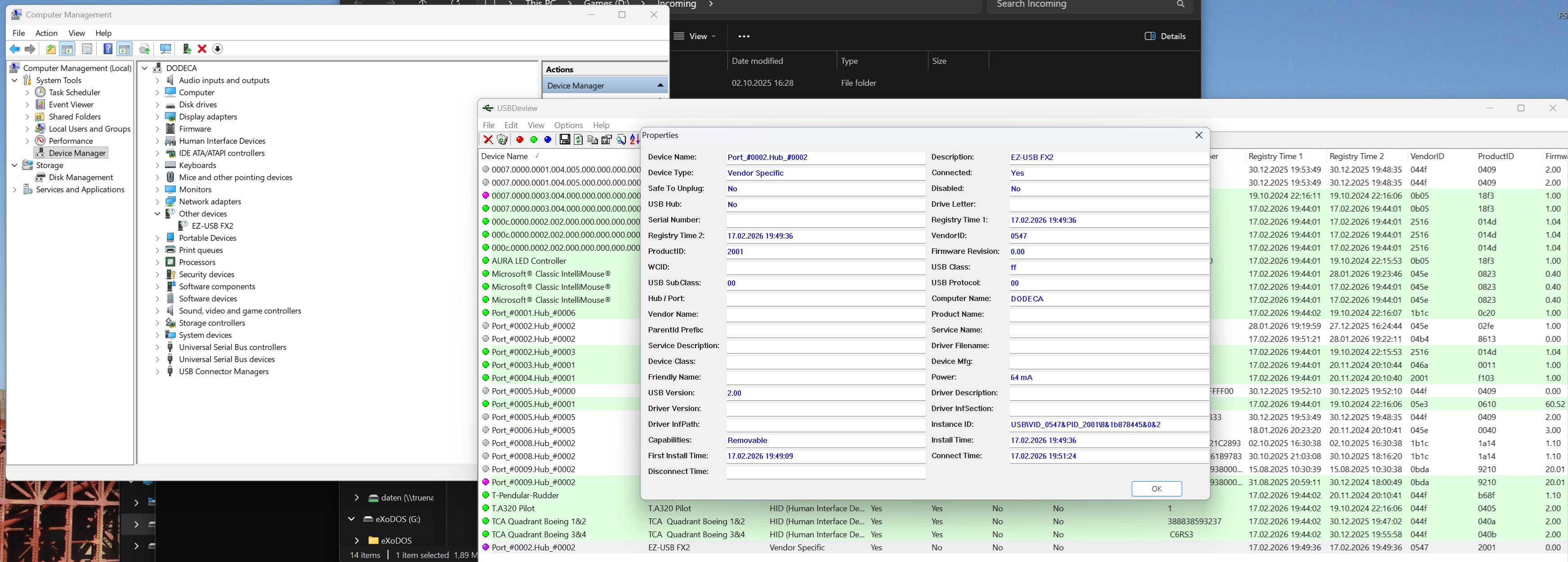
i recently upgraded to 7.40 (from 7 3.7) on my windows 11 machine and since doing so my GX4x4 is noch recognized anymore. In the device manager it now pops up as "IntraOral USB 1.5", uninstalling the device (including drivers) and re-install doe not help.
Has anyone here still a copy of the 7.37 version? Unfortunately it's no longer on the website for download. Would like to try if this version fixes the issue.
I figured some of it out.. Windows did an update and put a bad device driver configuration out.. It has a bad line with the device ID that just happens to match the programmer
There is likely an easier way.. but I downloaded a utility called usbdeview In that you can right click and find the OEM#.inf file name The use the command (and a admin window) pnputil /delete-driver oem<#> .inf /uninstall /force and delete the INF files (there were 2 devices that popped in.. I deleted both) Then I reinstalled 7.40. and it worked..
It is actually a Microsoft mess up as far as I can tell.
Thanks for the quick reply. I did as you suggested and where able to uninstall the wrong driver (oem15.inf in my case) and shorty afterwards the "IOS Manufacturer Image Driver Update" popped up for installtion, so i guess you're right about that. Unfortunately i was not able to fix the issue. Once i got rid of the wrong driver i had a "EZ FX USB" Device in the device manager but windows refused to accept the GQ-4x4 drivers for this device. Using your usbdeview i retreived the VID of this device and added it to the corresponding sections in the .inf file, then windows detects the driver and the correct device when pointing it to the directory with the driver. But's it not installing the driver but complaining that the hash for the modified .inf file does not match the hash in the .cat file and that's it. I now would need to rebuild the .cat file too which will lead to an unsigned driver requiring even more modifications to windows to be able to install it.
What really puzzles me that the vendor id of the device is not in the .inf file? This VID shouldn't have changed, i don't get it. Any ideas?
The YT video basically guides you through the process of uninstalling the drivers that the GQ-4x4 is being mistaken for - in this case some dental camera. After I did this, I unplugged and plugged in the GQ-4x4 and it's working normally again.
Thanks for sharing, that's a more convenient way doing the same bperkins01 wrote. Does not work here to unfortunately. Are you having GQ-4x4 too? My Problem is that after removing the incorrect driver i'm stuck with no driver at all. All drivers coming with 7.40 or the seperate drivers are not recognized for this device. I checked three times but the VID0547 (see screenshot) is in no .inf file. Drives me crazy.



 Looking for GQ-4x4 7.37 Software Version


 Posted - 02/14/2026 : 11:17:07